 gunnchOS
Thursday Open Technology Lab · Week 7
How Do Hackers and Defenders Think?
Ask · Learn · Build
Recognize everyday security risks, map a fictional learning portal, and choose safeguards that protect people and information. Compare threats, vulnerabilities, and risk, then try the paper challenge and check the worked answers.
Session date: . A free, self-guided lesson for every experience level. Read the core explanation in 15–20 minutes, try the five-minute carousel challenge, or spend about ten minutes on the full paper activity. No laptop, account, or prior experience is required.
This week's replay
The permanent archive is on YouTube. Twitch remains the original live recording.
Captions and a transcript belong with the permanent archive. After you load the Twitch replay, use the player's own caption controls. This page does not block the lesson if Twitch is unavailable.
The original 34-slide lecture
The complete lecture introduces defensive cybersecurity, assets, threats, vulnerabilities, risk, trust boundaries, and practical safeguards. It includes a fictional portal challenge, worked answers, optional deeper paths, and learning checks. The PDF and editable PowerPoint preserve the original files and slide order.
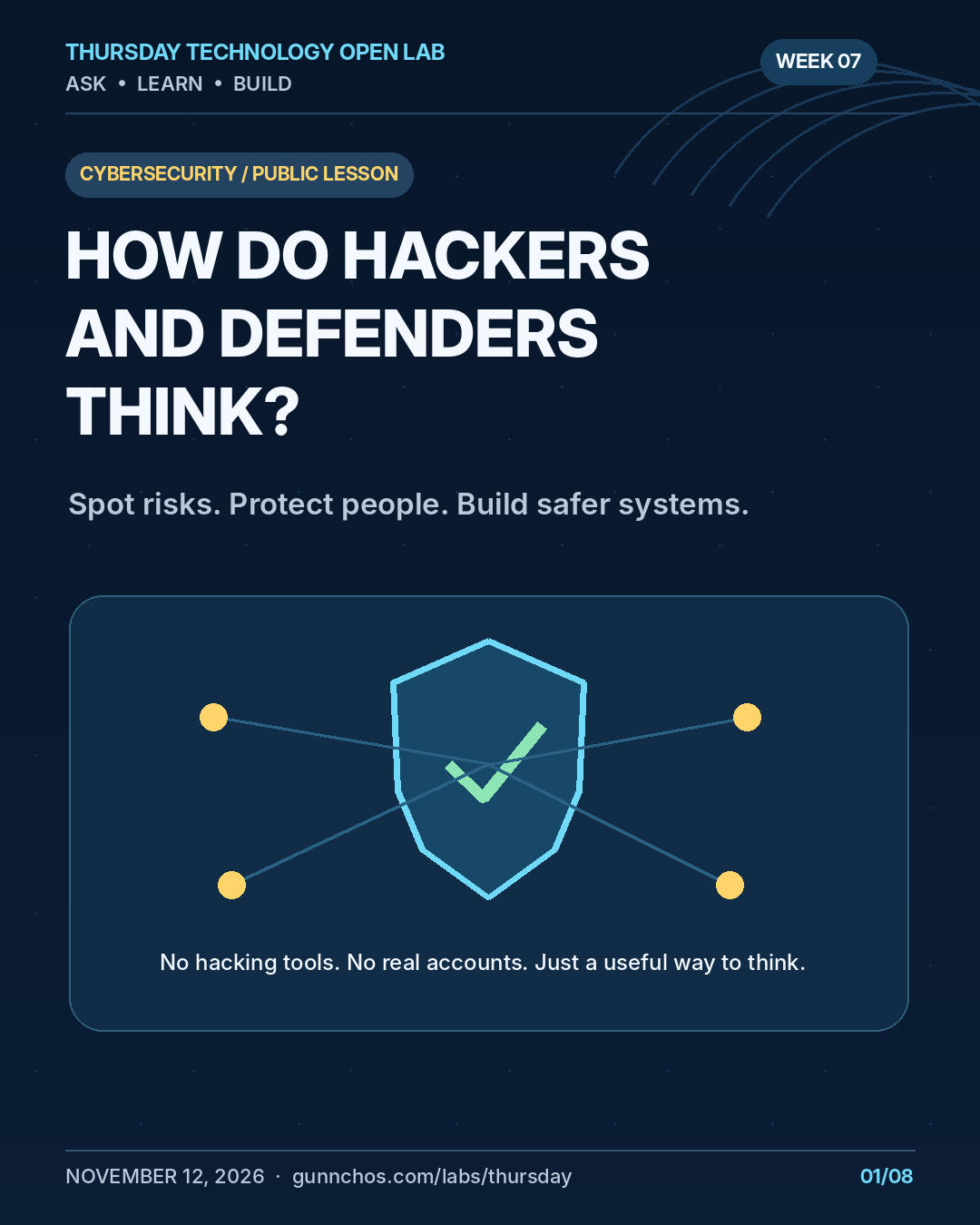
The eight-image recap is a separate resource. Original artwork retains its supplied series wording.
Instagram carousel · eight-slide recap
Browse the original recap images at your own pace. The full 34-page lecture is a separate resource.
Swipe left or right on the image. With the carousel focused, use Left and Right arrows, Home, or End. Previous, next, and numbered buttons also work.
A defender’s way to think
A surprising message, a shared library computer, or a saved assignment can raise a security question. This lesson uses a fictional Community Learning Portal to ask what matters, where things could go wrong, and what would reduce harm. The goal is protection. No hacking tools or real account tests are part of the activity.
Four questions for the fictional system
- What are we protecting?
- Name the assets, people, work, and access that matter.
- What could go wrong?
- Consider plausible concerns and where trust changes.
- What should we do?
- Choose safeguards that reduce harm and remain usable.
- How would we check?
- Name safe evidence and the limits of the improvement.
Assets, threats, vulnerabilities, and risk
An asset is something worth protecting: private learner information, correct saved work, account access, or lessons people can reach. A threat could cause harm. A vulnerability is a weakness that harm could use. Risk considers the chance and consequence of harm in its context.
A fake account message is a threat; a reused password is a possible weakness. The risk depends on the situation and who could be affected. Ask what evidence is missing before deciding what to improve first.
Trust boundaries and three protection goals
Draw Learner → Shared device → Portal → Private records. A trust boundary marks a place where the system must check who is requesting access and what they are allowed to do, such as sign-in or reading a learner’s records.
- Confidentiality: private records stay private.
- Integrity: saved work and records stay accurate.
- Availability: people can reach the lessons when they need them.
Two perspectives on the same portal
Considering possible misuse helps a defender notice where identity could be impersonated, a signed-in session could be left open, or an interruption could block learning. A defensive design verifies identity, limits access, maintains software, and offers usable recovery and support.
Stop, check, and report
The lecture’s fictional urgent message asks a learner to verify a password immediately. Pressure, an unfamiliar sender, and requests for passwords or codes are reasons to pause. Open the official app or a known website independently and use the organization’s trusted reporting route. Do not click the fictional message or disclose real credentials.
Practical layers of protection
The supplied lesson describes long, unique passwords and password managers, passkeys or multifactor authentication where supported, trusted software updates, backups, limited permissions, and clear sign-out cues. Each safeguard has limits. Consider whether it could confuse or lock out a legitimate learner, and provide an accessible path to help or recovery.
Protect the Learning Portal
Use paper and pencil. The portal, messages, and people in this exercise are fictional. Draw a system, choose what to protect, and explain your reasoning. Do not test a real service, show private screens, or share passwords or one-time codes.
- Draw Learner → Shared device → Portal → Private records. Mark at least one place where identity or access needs to be checked.
- Circle two assets, such as private records, saved work, sign-in access, or available lessons. Explain who could be harmed if they are exposed, changed, or unavailable.
- Consider the lecture and worksheet’s three fictional concerns: an urgent message asks for a password, a learner leaves a shared device signed in, and a public device postpones software updates.
- Choose a protective response for each concern. Explain why it helps and one limitation or accessibility tradeoff.
- Choose one improvement and a safe way to check it using a fictional review scenario. Compare your reasoning with the worked answers without testing real accounts or sharing secrets.
Open the three-page printable worksheet. Work through pages 1–2 before comparing with the worked answer on page 3.
Reveal the lecture and worksheet’s worked answers
These are defensible examples. Other reasonable designs are possible.
| Concern | Protective choice | A limitation |
|---|---|---|
| A fake staff message | Report through a known channel and never share a password or code. MFA can also help protect sign-in. | This does not remove every social-engineering risk. |
| A shared device left signed in | Sign out, use session timeouts, and provide clear user cues. | A sign-out prompt can still be overlooked. |
| An outdated app or browser | Maintain trusted updates and identify who is responsible for the device. | Updates alone do not solve every issue. |
Recap variation: the eight-image carousel uses overly broad file sharing as its third example. Its worked response limits access to the intended people and verifies permissions. The full lecture and printable worksheet use outdated software as scenario C; their matching response is to maintain trusted updates and name the responsible device owner.
Success check: Your paper artifact includes a system map, a trust boundary, two assets, a protective choice for each concern, and one safe way to check an improvement.
Choose your lane
Each lane is a depth you can choose. None of them is worth more than the others. You can participate without a computer. A paper drawing is valid. A phone photo can be used later, when submissions open.
Explorer
Recognize an everyday risk and explain a safe response.
Week 7
- Name one asset in the fictional portal.
- Explain one safe habit that protects a person or their information.
- Use the paper activity and describe what you would protect first.
Builder
Design a security improvement that people can use.
Week 7
- Draw the portal system and mark a trust boundary.
- Choose safeguards for the fictional concerns and explain a tradeoff.
- Describe a safe test of your annotated design without using real accounts, credentials, or private information.
Engineer / Researcher
Compare mitigations and the evidence needed to assess a security decision.
Week 7
- Identify trust boundaries and the confidentiality, integrity, and availability goals.
- Use STRIDE categories to ask what could go wrong in the fictional system.
- Record an unresolved tradeoff, a safe validation method, and the evidence that would support or reject the improvement.
This is an educational depth lane, not enrollment in human-subjects research.
Choose a deeper path
Optional phone path
On a device you own or are allowed to use, locate official update settings, account-security options, and the service’s trusted reporting route. Do not show or share real passwords, codes, or private screens. The paper route is complete participation.
Builder: a safer community-library sign-in
Draw a design that lets members sign in reliably while reducing impersonating requests. Consider verified notices, supported sign-in protections, reporting, and accessible recovery. Explain how a fictional review scenario could help you check the design.
Engineer / Researcher: six system-review questions
The lecture introduces STRIDE as categories for reasoning about the fictional portal. Keep the work on paper or within an explicitly authorized review.
- Spoofing
- Who might pretend to be someone else?
- Tampering
- What information could change improperly?
- Repudiation
- How could important actions be disputed?
- Information disclosure
- Who could see something private?
- Denial of service
- What could interrupt the lessons?
- Privilege increase
- Could someone gain access they should not have?
Check your understanding
- What is an asset in the fictional portal?
- How is a vulnerability different from a threat?
- What is one safe response to an urgent verify-now message?
- Why is a security control not the same as a guarantee?
Reveal the lecture’s explanations
- Learner work, private data, sign-in access, or usable lessons.
- A threat is potential harm; a vulnerability is a weakness that could allow it.
- Pause, independently check through the official service, and report through a trusted channel.
- Safeguards reduce risk but may fail, be bypassed, or create tradeoffs.
Keep your drawing yourself. This page collects no responses or files. Uploads remain closed; participation does not enroll you in research.
All 34 slides as text
Read the original slide text in order. The PDF preserves the visual layout, and the original PowerPoint also retains its presenter notes.
Slide 1: How Do Hackers and Defenders Think?
THURSDAY TECHNOLOGY OPEN LAB / WEEK 07
WELCOME
ASK • LEARN • BUILD | NOV 12, 2026
01
HOW DO HACKERS
AND DEFENDERS
THINK?
WEEK 7 | DEFENSIVE CYBERSECURITY
Learn to recognize risks, protect people and information, and design safer systems — with nothing more than paper and pencil.
?
What matters?
What could go wrong?
What would help?
Public & self-guided
No laptop required
Slide 2: Choose the depth that helps you
THURSDAY TECHNOLOGY OPEN LAB / WEEK 07
HOW TO USE
ASK • LEARN • BUILD | NOV 12, 2026
02
Choose the depth that helps you
You can start anywhere. The same scenario supports three levels of learning.
EXPLORER
Recognize an everyday risk. Explain one way to protect yourself or someone else.
BUILDER
Draw a simple system. Choose safeguards, then explain how you would test them.
ENGINEER / RESEARCHER
Identify trust boundaries, compare mitigations, and describe the evidence needed to validate a security decision.
Slide 3: Security starts with ordinary moments
THURSDAY TECHNOLOGY OPEN LAB / WEEK 07
START HERE
ASK • LEARN • BUILD | NOV 12, 2026
03
Security starts with ordinary moments
A safe learning account, a borrowed laptop, or a surprising text message.
1
A SCHOOL PORTAL
Can someone else get into your work?
2
A SHARED DEVICE
Did you remember to sign out?
3
A URGENT MESSAGE
How can you check whether it is real?
TODAY’S QUESTION
What would you protect first — and how would you know it was protected?
Slide 4: A defender makes a plan before a problem happens
THURSDAY TECHNOLOGY OPEN LAB / WEEK 07
FOUR QUESTIONS
ASK • LEARN • BUILD | NOV 12, 2026
04
A defender makes a plan before a problem happens
A simple threat-modeling loop based on OWASP.
1 WHAT?
What are we protecting?
→
2 WHAT IF?
What could go wrong?
→
3 WHAT NEXT?
What should we do?
→
4 DID IT WORK?
How would we check?
IMPORTANT
Good cybersecurity is a repeatable way to ask and answer questions.
Slide 5: Meet the Community Learning Portal
THURSDAY TECHNOLOGY OPEN LAB / WEEK 07
FICTIONAL SCENARIO
ASK • LEARN • BUILD | NOV 12, 2026
05
Meet the Community Learning Portal
A made-up example — not an actual website or an invitation to test one.
LEARNER
Opens lessons and saves work
→
DEVICE
Phone / library computer
→
PORTAL
Sign-in and lesson app
→
RECORDS
Private learner information
The portal should let authorized people learn safely.
It should also stay available, preserve work correctly, and limit who sees private information.
Slide 6: What has value in this system?
THURSDAY TECHNOLOGY OPEN LAB / WEEK 07
PROTECT
ASK • LEARN • BUILD | NOV 12, 2026
06
What has value in this system?
An asset is something worth protecting. People and trust matter too.
ACCOUNT ACCESS
Who is allowed to sign in?
PRIVATE INFORMATION
Names, records, and personal details.
LEARNER WORK
Correct files, progress, and assignments.
SERVICE TIME
People can reach the lessons when needed.
Slide 7: Threat ≠ vulnerability ≠ risk
THURSDAY TECHNOLOGY OPEN LAB / WEEK 07
VOCABULARY
ASK • LEARN • BUILD | NOV 12, 2026
07
Threat ≠ vulnerability ≠ risk
Three helpful terms; you do not need to memorize them immediately.
THREAT
Something that could cause harm.
A fake account message.
VULNERABILITY
A weakness that harm could use.
A reused password.
RISK
The chance and consequence of harm in context.
Someone gets into a learner account.
Slide 8: Different questions, different responsibilities
THURSDAY TECHNOLOGY OPEN LAB / WEEK 07
PERSPECTIVES
ASK • LEARN • BUILD | NOV 12, 2026
08
Different questions, different responsibilities
Understanding potential harm helps defenders prevent it — the goal here is protection.
POTENTIAL MISUSE
What could be abused?
A message might impersonate staff. A shared device might expose a signed-in account. A bug might interrupt lessons.
DEFENSIVE MINDSET
How do we protect people?
Verify identity. Limit access. Patch systems. Provide safe recovery paths. Monitor for problems.
Slide 9: Where does trust change?
THURSDAY TECHNOLOGY OPEN LAB / WEEK 07
SYSTEM MAP
ASK • LEARN • BUILD | NOV 12, 2026
09
Where does trust change?
A trust boundary is where the system must check who or what is allowed.
PERSON
Makes a request
→
DEVICE
Holds a session
→
PORTAL
Checks access
→
RECORDS
Private data
Identity check?
Access check?
ASK
At each boundary: Who is requesting access? What should they be allowed to do?
Slide 10: An urgent message is not automatically trustworthy
THURSDAY TECHNOLOGY OPEN LAB / WEEK 07
RECOGNIZE
ASK • LEARN • BUILD | NOV 12, 2026
10
An urgent message is not automatically trustworthy
Fictional example: no real link or account information is needed.
ILLUSTRATIVE MESSAGE - NOT REAL
“YOUR LEARNING ACCOUNT WILL
CLOSE TODAY! VERIFY NOW!”
Sent from an unfamiliar address; asks you to enter your password.
QUESTIONS
Who sent it?
Why the urgency?
Can I check another way?
Should I report it?
Slide 11: Stop → Check → Report
THURSDAY TECHNOLOGY OPEN LAB / WEEK 07
SAFE RESPONSE
ASK • LEARN • BUILD | NOV 12, 2026
11
Stop → Check → Report
If something feels wrong, slowing down is a useful skill.
STOP
Do not rush, click, or share secrets
→
CHECK
Open the official app or known website yourself
→
REPORT
Tell the trusted organization or adult
SAFETY
Never share passwords, one-time codes, private records, or screenshots of them.
Slide 12: Four everyday ways to reduce risk
THURSDAY TECHNOLOGY OPEN LAB / WEEK 07
SAFE HABITS
ASK • LEARN • BUILD | NOV 12, 2026
12
Four everyday ways to reduce risk
These four habits reflect CISA’s “Secure Our World” guidance.
1
RECOGNIZE & REPORT
Phishing or suspicious requests
2
UNIQUE PASSWORDS
Long, unique logins; manager helps
3
USE MFA / PASSKEYS
Extra protection when available
4
KEEP SOFTWARE UPDATED
Security fixes and safer defaults
Slide 13: Passwords, passkeys, and multifactor authentication
THURSDAY TECHNOLOGY OPEN LAB / WEEK 07
IDENTITY
ASK • LEARN • BUILD | NOV 12, 2026
13
Passwords, passkeys, and multifactor authentication
Protect the sign-in process without making it impossible for real users.
PASSWORDS
Use unique, long passwords. A reputable password manager can help you generate and store them.
PASSKEYS & MFA
Use passkeys when supported and an additional sign-in factor when offered. Keep recovery options safe.
DO NOT DO
Never type real passwords or one-time codes into a public activity, chat, or worksheet.
Slide 14: Protection also means preparing for mistakes
THURSDAY TECHNOLOGY OPEN LAB / WEEK 07
RESILIENCE
ASK • LEARN • BUILD | NOV 12, 2026
14
Protection also means preparing for mistakes
An update fixes known weaknesses; a backup helps when something is lost or damaged.
UPDATE SOFTWARE
Install trusted security updates for your own device and apps. Use automatic updates when practical.
PLAN FOR RECOVERY
Keep safe backups where appropriate. Know the official place to request account recovery or support.
REAL WORLD
Good safety tools should help people recover without creating more harm or confusion.
Slide 15: Confidentiality • Integrity • Availability
THURSDAY TECHNOLOGY OPEN LAB / WEEK 07
THREE GOALS
ASK • LEARN • BUILD | NOV 12, 2026
15
Confidentiality • Integrity • Availability
A classic way to organize what needs protection.
C
CONFIDENTIALITY
Private learner records stay private.
I
INTEGRITY
Assignments and scores stay accurate.
A
AVAILABILITY
Lessons are reachable when needed.
Slide 16: Layers of protection work together
THURSDAY TECHNOLOGY OPEN LAB / WEEK 07
DESIGN
ASK • LEARN • BUILD | NOV 12, 2026
16
Layers of protection work together
No single safeguard solves every problem.
1
VERIFY IDENTITY
MFA, passkeys, safe sign-in
2
LIMIT ACCESS
Only the permissions a person needs
3
MAINTAIN SYSTEMS
Updates and secure configurations
4
NOTICE & RECOVER
Reports, backups, and support
Slide 17: Not every risk deserves the same response
THURSDAY TECHNOLOGY OPEN LAB / WEEK 07
PRIORITY
ASK • LEARN • BUILD | NOV 12, 2026
17
Not every risk deserves the same response
Consider likely harm, who could be affected, and how sure you are.
POSSIBILITY
What conditions might make this problem plausible? What evidence is missing?
CONSEQUENCE
Would it expose private data, change records, or interrupt learning?
PRIORITY
What can we improve first, with the time and resources available?
Slide 18: Your mission: protect the learning portal
THURSDAY TECHNOLOGY OPEN LAB / WEEK 07
ACTIVITY
ASK • LEARN • BUILD | NOV 12, 2026
18
Your mission: protect the learning portal
A 10-minute paper challenge. You can work alone, in a pair, or with a guardian.
THE FICTIONAL PORTAL
Learners sign in to read lessons and save progress. Some people use shared library computers. Staff can help with accounts, and private information must stay protected.
YOUR GOAL
Identify assets, three risks, and safe protective choices. Explain how you would check whether they help.
Slide 19: Draw the system and its boundaries
THURSDAY TECHNOLOGY OPEN LAB / WEEK 07
ACTIVITY 1
ASK • LEARN • BUILD | NOV 12, 2026
19
Draw the system and its boundaries
Copy this simple map on paper; you may add more boxes if useful.
LEARNER
Person requesting access
→
SHARED DEVICE
Browser & session
→
PORTAL
Login and lessons
→
DATA
Saved private work
YOUR TASK
Circle two assets. Draw a dashed line where a trust check is needed.
HINT
Who is allowed to access the records? How would the portal know?
Slide 20: Choose what matters most
THURSDAY TECHNOLOGY OPEN LAB / WEEK 07
ACTIVITY 2
ASK • LEARN • BUILD | NOV 12, 2026
20
Choose what matters most
Pick TWO assets and explain who is harmed if they are lost or exposed.
A
PRIVATE RECORDS
Avoid exposing learners’ personal information.
B
LEARNING PROGRESS
Keep saved work accurate.
C
SIGN-IN ACCESS
Only the right person can enter.
D
SERVICE ACCESS
People can open lessons when needed.
Slide 21: Find three things that could go wrong
THURSDAY TECHNOLOGY OPEN LAB / WEEK 07
ACTIVITY 3
ASK • LEARN • BUILD | NOV 12, 2026
21
Find three things that could go wrong
The scenarios are fictional. You are not asked to reproduce them.
A
A message claims to be staff and demands an immediate password “verification.”
B
A learner leaves a shared computer while still signed in.
C
A public device repeatedly postpones important software updates.
Slide 22: Match protections to the concerns
THURSDAY TECHNOLOGY OPEN LAB / WEEK 07
ACTIVITY 4
ASK • LEARN • BUILD | NOV 12, 2026
22
Match protections to the concerns
More than one safeguard can be useful for each situation.
1
Report suspicious messages through a known channel
2
Use strong, unique account access and MFA if supported
3
Sign out and protect access on shared devices
4
Keep software and browsers updated
5
Offer safe, accessible account recovery
Slide 23: Design a security improvement that people can use
THURSDAY TECHNOLOGY OPEN LAB / WEEK 07
ACTIVITY 5
ASK • LEARN • BUILD | NOV 12, 2026
23
Design a security improvement that people can use
Security that locks out a legitimate learner is a problem worth addressing too.
CHOOSE
Pick one concern
→
IMPROVE
Add a safeguard
→
TEST
What safe evidence shows it helped?
TRADEOFF
Could a new safeguard confuse people, block access, or require an accessible alternative?
Write: “I would add ___ because ___. I would check it by ___.”
Slide 24: Your threat model is now an artifact
THURSDAY TECHNOLOGY OPEN LAB / WEEK 07
PAUSE HERE
ASK • LEARN • BUILD | NOV 12, 2026
24
Your threat model is now an artifact
Before checking the worked solution, see whether you completed each step.
A system map with at least one trust boundary
Two assets and why they matter
A concern and protective choice for A, B, and C
One improvement with a safe validation idea
REMEMBER
There is no single perfect diagram. Compare your reasoning, not just the final boxes.
Slide 25: Example map: assets and trust boundaries
THURSDAY TECHNOLOGY OPEN LAB / WEEK 07
WORKED ANSWER
ASK • LEARN • BUILD | NOV 12, 2026
25
Example map: assets and trust boundaries
One defensible answer — other reasonable designs are possible.
LEARNER
Trusted identity? Check at login
→
DEVICE
Session on shared machine
→
PORTAL
Permission check
→
RECORDS
Private access limited
ASSETS
Account access, private records, learner work, and lesson availability all matter. A trust check belongs at sign-in and before reading someone else’s records.
Slide 26: Example protections — and what they do not solve
THURSDAY TECHNOLOGY OPEN LAB / WEEK 07
WORKED ANSWER
ASK • LEARN • BUILD | NOV 12, 2026
26
Example protections — and what they do not solve
Matching a defense is about reducing risk, not promising perfection.
A FAKE MESSAGE
Report through a known channel; never share a code. MFA also helps protect sign-in.
Does not eliminate all social-engineering risk.
B SHARED DEVICE
Sign out; use session timeouts and clear user cues.
A logout prompt may be overlooked.
C OUTDATED APP
Maintain updates and a clear device owner.
Updates alone do not solve every issue.
Slide 27: Respond safely. Get help. Recover.
THURSDAY TECHNOLOGY OPEN LAB / WEEK 07
IF SOMETHING GOES WRONG
ASK • LEARN • BUILD | NOV 12, 2026
27
Respond safely. Get help. Recover.
A security mistake is a reason to act, not a reason to hide.
1
STOP AND CONTAIN
Pause the suspicious interaction; avoid further sharing.
2
USE TRUSTED SUPPORT
Contact the organization through a known method.
3
RECOVER SAFELY
Follow legitimate account recovery, updates, and review steps.
Slide 28: Three safe things to check on your own device
THURSDAY TECHNOLOGY OPEN LAB / WEEK 07
OPTIONAL PHONE PATH
ASK • LEARN • BUILD | NOV 12, 2026
28
Three safe things to check on your own device
No real passwords, codes, or private screens should be shown or shared.
CHECK UPDATES
Find the device’s update section. Do not install random links.
CHECK ACCOUNT SECURITY
Review if MFA or passkeys are available through official settings.
CHECK REPORTING
Find where your school, bank, or service accepts safety reports.
Slide 29: Design a safer sign-in for a community library
THURSDAY TECHNOLOGY OPEN LAB / WEEK 07
BUILDER PATH
ASK • LEARN • BUILD | NOV 12, 2026
29
Design a safer sign-in for a community library
Protect people without making ordinary learning harder.
GOAL
Members can sign in reliably
THREAT
An impersonating message asks for secrets
CONTROL
Verified notices + MFA/passkey + reporting
TEST
Try a fictional review scenario with volunteers
Slide 30: Go deeper: six questions for a system review
THURSDAY TECHNOLOGY OPEN LAB / WEEK 07
ENGINEER PATH
ASK • LEARN • BUILD | NOV 12, 2026
30
Go deeper: six questions for a system review
STRIDE gives engineers categories for asking what might go wrong.
S
SPOOFING
Who might pretend to be someone else?
T
TAMPERING
What information could change improperly?
R
REPUDIATION
How could important actions be disputed?
I
INFO DISCLOSURE
Who could see something private?
D
DENIAL OF SERVICE
What could interrupt the lessons?
E
PRIVILEGE INCREASE
Could someone gain access they should not have?
Slide 31: Four questions before you finish
THURSDAY TECHNOLOGY OPEN LAB / WEEK 07
CHECK YOURSELF
ASK • LEARN • BUILD | NOV 12, 2026
31
Four questions before you finish
Try answering them in your own words before advancing.
1
What is an asset in our fictional portal?
2
How is a vulnerability different from a threat?
3
What is one safe response to an urgent “verify now” message?
4
Why is a security control not the same as a guarantee?
Slide 32: One set of clear, defensible answers
THURSDAY TECHNOLOGY OPEN LAB / WEEK 07
ANSWER KEY
ASK • LEARN • BUILD | NOV 12, 2026
32
One set of clear, defensible answers
Your own wording is fine if your reasoning matches.
1
An asset: learner work, private data, sign-in access, or usable lessons.
2
Threat = potential harm. Vulnerability = weakness that could allow it.
3
Do not click. Independently check through the official service and report.
4
Safeguards reduce risk but may fail, be bypassed, or create tradeoffs.
Slide 33: Leave with an answer, an artifact, or a better question
THURSDAY TECHNOLOGY OPEN LAB / WEEK 07
REFLECT
ASK • LEARN • BUILD | NOV 12, 2026
33
Leave with an answer, an artifact, or a better question
What protective idea would you carry into the real world?
EXPLORER
Tell someone one safe online habit you learned.
BUILDER
Keep your annotated portal threat model.
ENGINEER / RESEARCHER
Record one unresolved tradeoff and the evidence needed.
SHARE
What would you protect first — and how would you check that your choice helped?
Slide 34: Keep learning — safely and freely
THURSDAY TECHNOLOGY OPEN LAB / WEEK 07
RESOURCES
ASK • LEARN • BUILD | NOV 12, 2026
34
Keep learning — safely and freely
Official references, open learning pathways, and the next Thursday topic.
CISA — SECURE OUR WORLD
OWASP — THREAT MODELING
owasp.org/projects/threat-modeling-project
NIST — RISK ASSESSMENTS
csrc.nist.gov/pubs/sp/800/30/r1/final
gunnchOS3k
THURSDAY TECH LAB
WAIKE + THE TECHNOLOGY LANDSCAPE
NEXT WEEK • NOV 19 • HOW DOES AN APP OR VIDEO GAME BECOME REAL?
Keep exploring
Next session · November 19, 2026
How Does an App or Video Game Become Real? is available with its replay, original lecture, printable activity, and carousel.