 gunnchOS
Thursday Open Technology Lab · Week 2
What Actually Happens When You Tap a Button?
Ask · Learn · Build
Trace one everyday tap from human intention through physical input, hardware sensing, software events, changes in application state, an optional network request, and feedback on the screen or through sound. Explore it without needing to code.
Session date: 2026-10-08 · One complete YouTube upload, with the original Twitch VOD available. Watch or participate without an account.
This week's replay
The permanent archive is on YouTube. Twitch remains the original live recording.
Captions and a transcript belong with the permanent archive. After you load the Twitch replay, use the player's own caption controls. This page does not block the lesson if Twitch is unavailable.
Week 2 · Full lecture slides
The complete 18-page public deck from the live session includes the eight-step tap journey, sensors and hardware, OS input routing, application state, local and remote actions, feedback, troubleshooting, and the activity.
Instagram carousel · eight-slide recap
Browse the original recap images at your own pace. The full 18-page lecture is a separate resource.
Swipe left or right on the image. With the carousel focused, use Left and Right arrows, Home, or End. Previous, next, and numbered buttons also work.
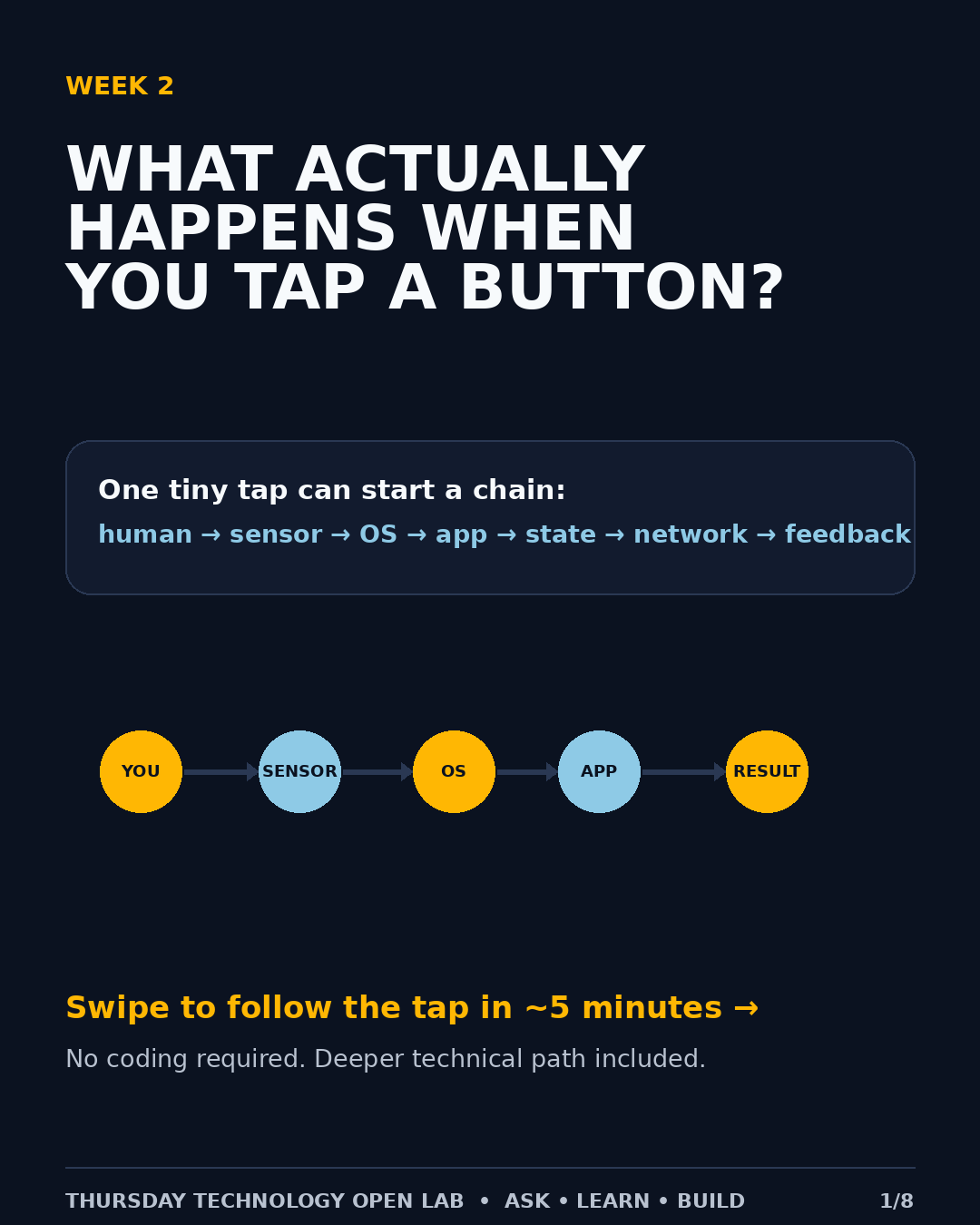
Follow a tap beneath the screen
When you tap a button, several systems cooperate. Not every tap needs the internet: local actions can happen entirely on the device. A cloud-backed action may also use a connection and remote service.
- Human intention: You decide what you want the app to do.
- Physical input: The touchscreen detects contact or a mouse/keyboard sends a signal.
- Operating system: The device interprets the input and delivers an event to the appropriate application.
- Application logic: The program decides how to respond and may update its state.
- Optional connection: Some actions request information from a server, while others work offline.
- Feedback: The screen, speaker, or vibration lets you know what happened.
Ask what changes if the network is slow, the application freezes, or the same button is tapped twice.
Your 5-minute challenge
Trace a single button tap from input to feedback. Pick a familiar example such as Play, Send, Save, or Like. On paper or a device, draw the steps from the person tapping to the final response. Circle any step that could fail or be delayed.
Explorer: Name the input and visible result. Builder: Identify one step to test or improve. Engineer / Researcher: Include event handling, local versus remote state, latency, error handling, and evidence that could confirm your explanation.
Reflect: How would you tell whether a delay came from the device, the application, or the network?
The complete Week 2 deck and Instagram recap are linked above. No computer is required.
Choose your lane
Each lane is a depth you can choose. None of them is worth more than the others. You can participate without a computer. A paper drawing is valid. A phone photo can be used later, when submissions open.
Explorer
Follow one familiar button tap.
Week 2
- Name the input and the visible result.
- Draw the steps from the person tapping to the final response.
Builder
Find one step to test or improve.
Week 2
- Trace the tap journey.
- Circle one step that could fail or be delayed.
Engineer / Researcher
Explain the evidence behind a tap journey.
Week 2
- Include event handling, local versus remote state, latency, and error handling.
- Name evidence that could confirm your explanation.
This is an educational depth lane, not enrollment in human-subjects research.
Keep exploring
Continue to Week 3: Why Does Technology Feel Fast, Slow, Smooth, or Unstable?
Week 1: Technology Is a System, Not a Screen